# @vimazing/vim-maze
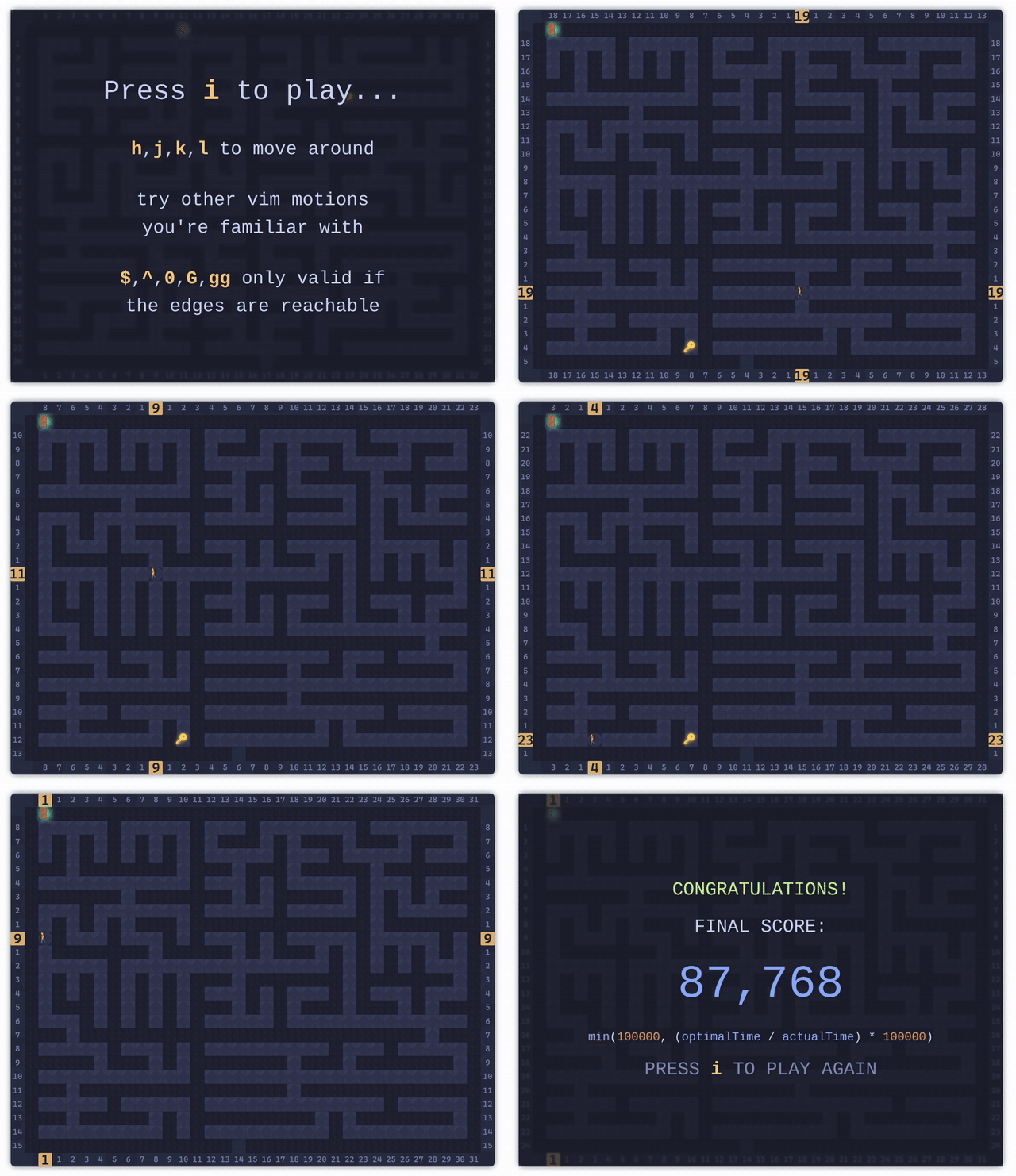
Lightweight, typed **React hooks** and utilities for building interactive maze games with VIM-inspired controls.
Part of the [VIMazing](https://vimazing.com) project - [GitHub](https://github.com/andrepadez/vimazing-vimaze).
---
## Contents
- [Features](#features)
- [Installation](#installation)
- [Quick Start](#quick-start)
- [Core Hooks](#core-hooks)
- [Utilities](#utilities)
- [Example App](#example-app)
- [Build & Release](#build--release)
- [License](#license)
- [Acknowledgements](#acknowledgements)
---
## Features
- **Drop-in hooks** for maze generation, player control, scoring, and key logging.
- **Typed API** with generated declaration files for editor IntelliSense.
- **VIM-style navigation** (`h`, `j`, `k`, `l`, counts, `i` to start, etc.).
- **Composable architecture** – bring your own rendering and platform-specific bindings.
- **Tree-shakeable exports** to keep bundles lean.
---
## Installation
Using **npm**:
```bash
npm install @vimazing/vim-maze
```
Or with **bun**:
```bash
bun add @vimazing/vim-maze
```
---
## Quick Start
```tsx
import { useEffect } from "react";
import { useGame } from "@vimazing/vim-maze";
import "@vimazing/vim-maze/game.css";
export function MazeGame() {
const { containerRef, gameStatus, startGame } = useGame(20, 16);
useEffect(() => {
startGame();
}, [startGame]);
return (
VIMazing Maze
{gameStatus === "game-won" && 🎉 You escaped!
}
);
}
```
> **Note:** You must manually import the CSS file. The package exports styles but does not auto-import them, giving you control over when and how styles are loaded.
Default controls:
| Key | Action |
| ------------------- | --------------- |
| `i` | Start game |
| `h` / `j` / `k` / `l` | Move player |
| `` | Move with count |
| `q` | Quit game |
| `Esc` | Cancel / pause |
---
## Core Hooks
| Hook | Description |
| ---- | ----------- |
| `useGame(cols, rows, platformHook?)` | One-stop hook that wires maze generation, rendering, player state, scoring, and keyboard bindings. Returns refs, status helpers, and managers you can compose with your UI. |
| `useMaze()` | Generates maze paths, keeps references to the current maze instance, and exposes helpers to reset or rebuild. |
| `useKeyBindings()` | Provides VIM-style key bindings, including repeat counts and movement helpers. |
| `useScore()` | Tracks timers, optimal steps, efficiency, and final score calculation. |
Each hook is exported individually, so you can cherry-pick only what you need:
```ts
import { useScore } from "@vimazing/vim-maze/useScore";
```
---
## Utilities
Besides the hooks, the library exports:
- `MazeGenerator` – procedural maze generation class.
- `MazeRenderer` – canvas renderer tailored for the generated mazes.
- `types` – shared TypeScript types such as `GameStatus`, `MazeCell`, and `KeyLogEntry`.
```ts
import { MazeGenerator, GameStatus } from "@vimazing/vim-maze";
```
---
## Example App
A demo application lives under `example/` and consumes the package directly.
```bash
cd example
bun install
bun run dev
```
During local development the Vite config aliases `@vimazing/vim-maze` to the source folder so you can iterate without rebuilding. When publishing, run the build first (see below) so editors consume the generated declarations in `dist/`.
---
## Build & Release
Build the distributable bundle and type declarations:
```bash
bun run build
```
This writes JavaScript, type definitions, and styles to `dist/`. The `prepublishOnly` hook reuses the same command to guarantee fresh artifacts before publishing.
---
## License
MIT © [André Padez](https://github.com/andrepadez)
---
## Acknowledgements
Inspired by [The Art of Web – Random Maze Generator](https://www.the-art-of-web.com/javascript/maze-game/) and extended for the VIMazing platform.